User experience design and digital transformation for Mediclinic theatre management software
Mediclinic International has been actively looking to use design and technology across their business to optimize system and people management. We used user-centred design to understand and iterate on the interface and interaction design of their new theatre management software.
Timeline
3 Months
Engagement
UX Retainer
Team
UX Designers
UX Engineers
Services offered on this project
The challenge
Adapting a management system into a modern web-app, used by theatre management and hospital staff
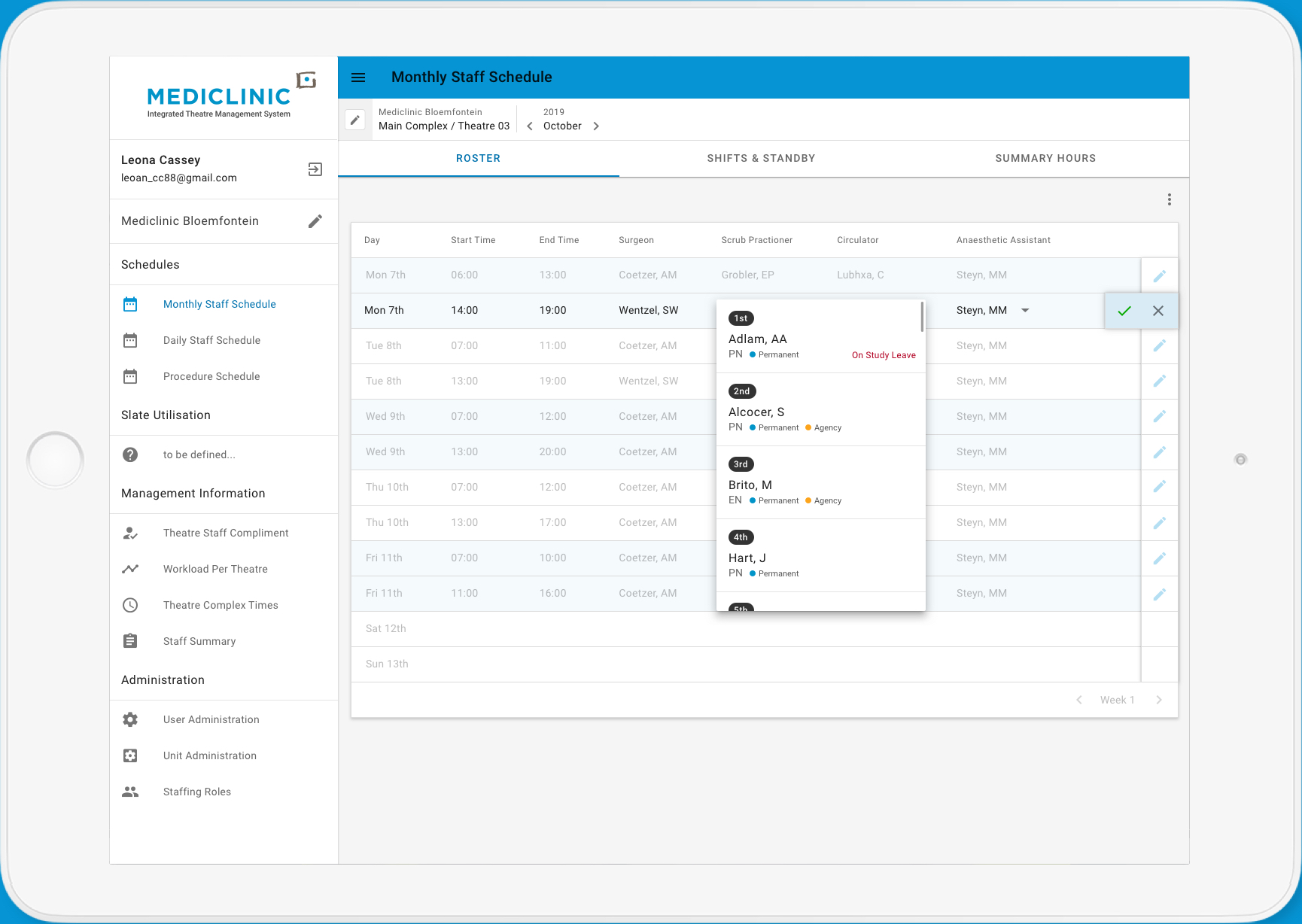
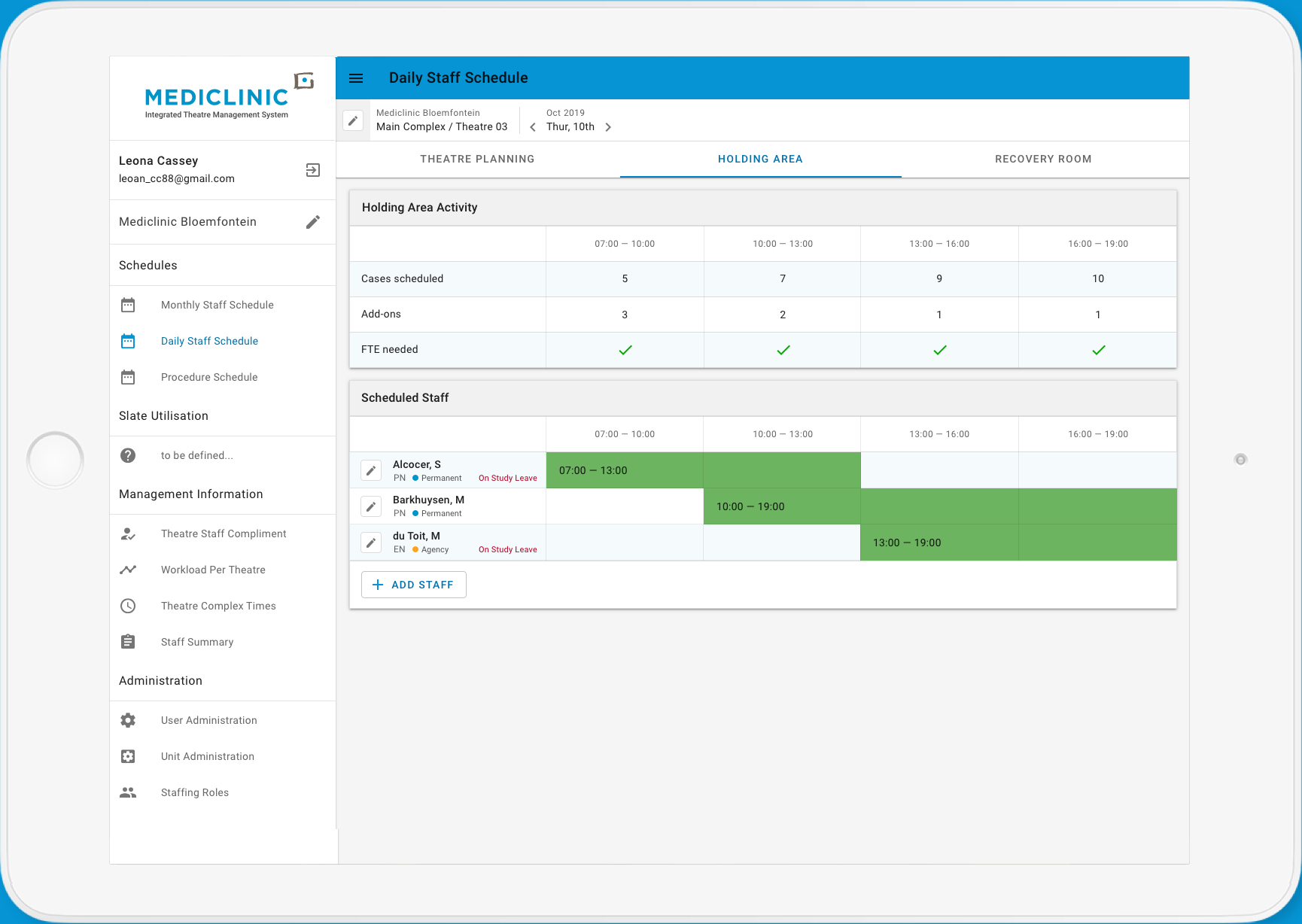
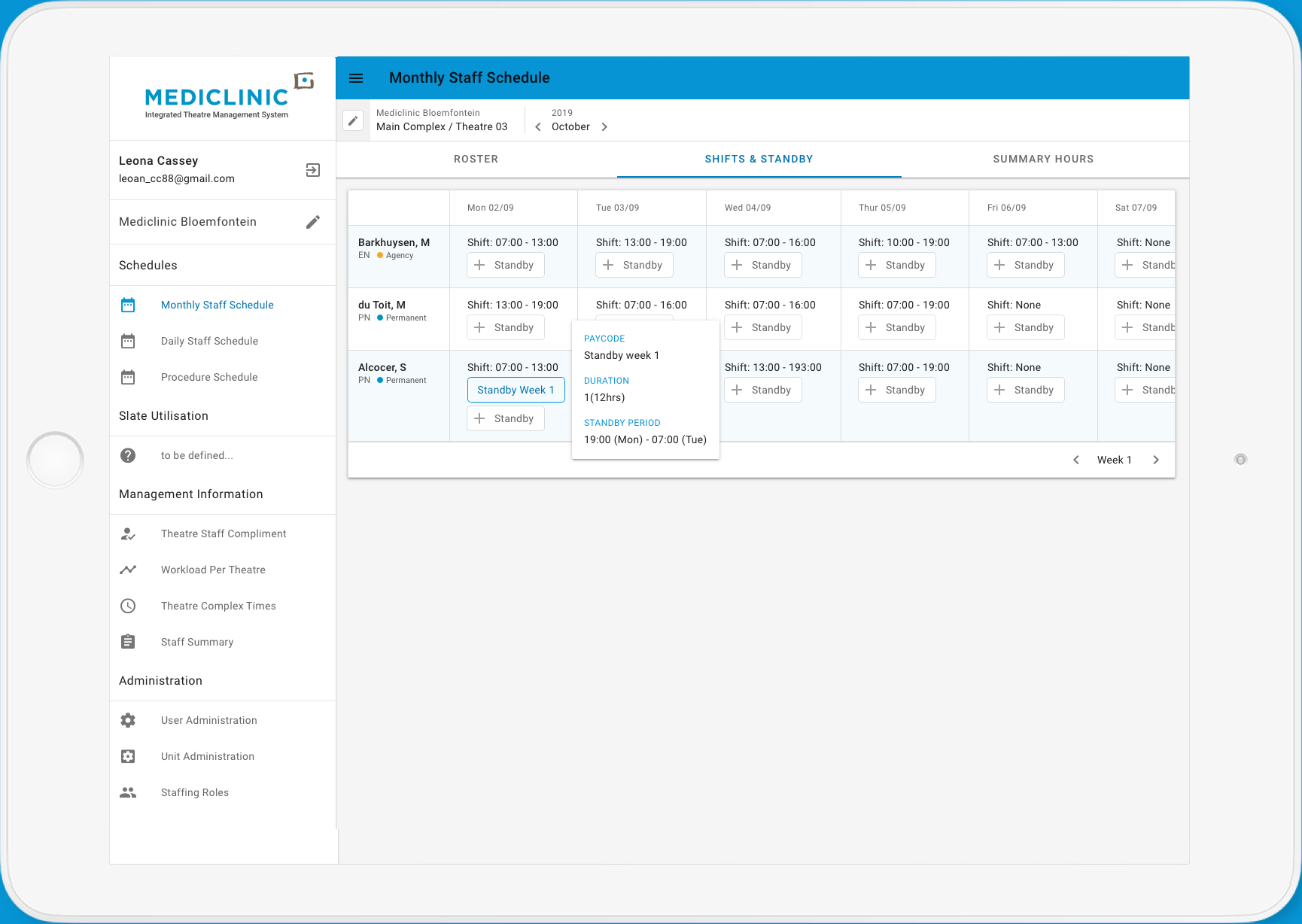
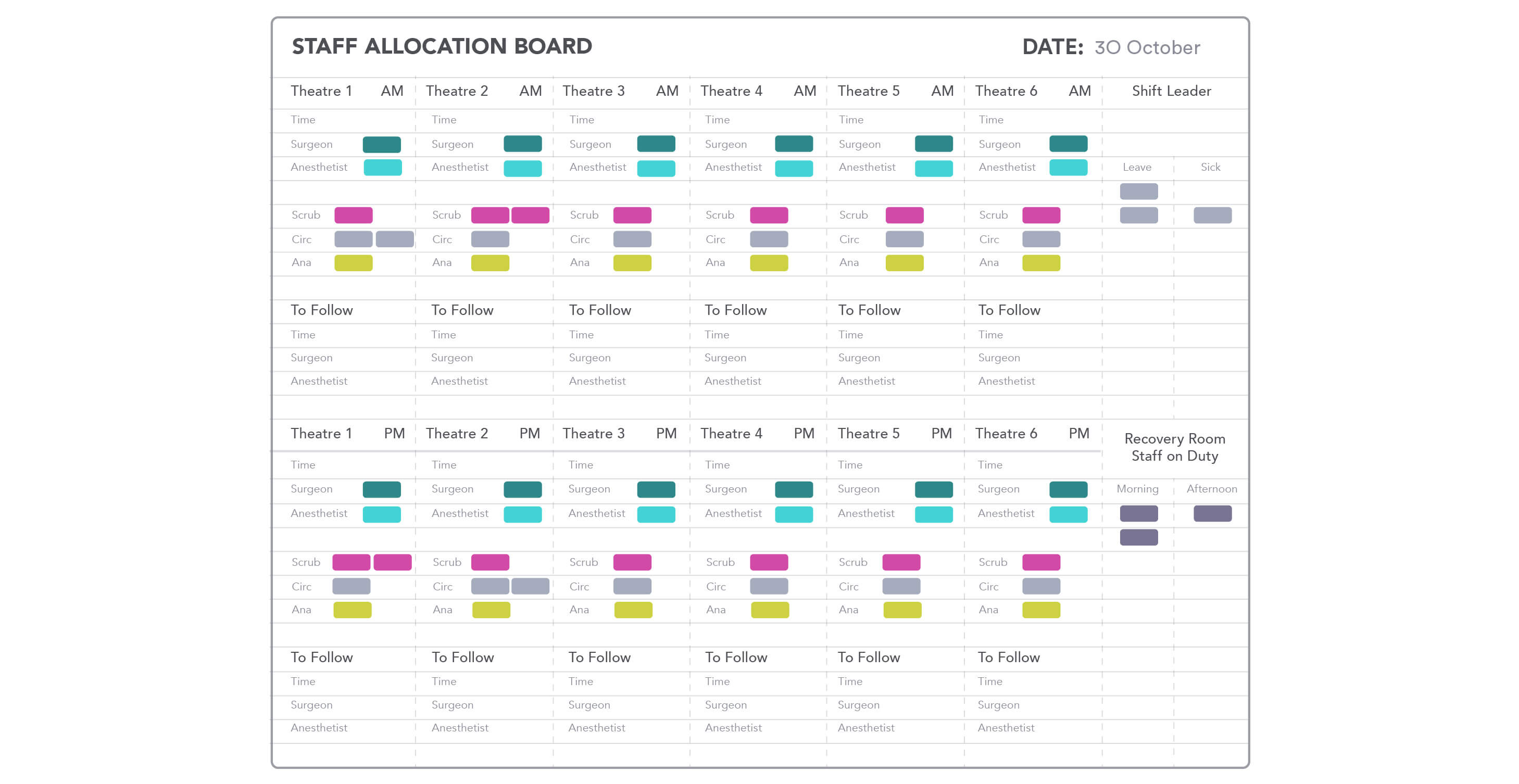
Choosing design patterns that staff would find familiar was a cornerstone of our objectives for this project. The display of staff availability and ease of management needed to be recognizable to staff who had been using whiteboards and paper-based systems. Creating a design that was usable and useful but also one that provided higher levels of utility was critical for user adoption. We used user research to understand and define features during the design process.
Wireframes and user flows
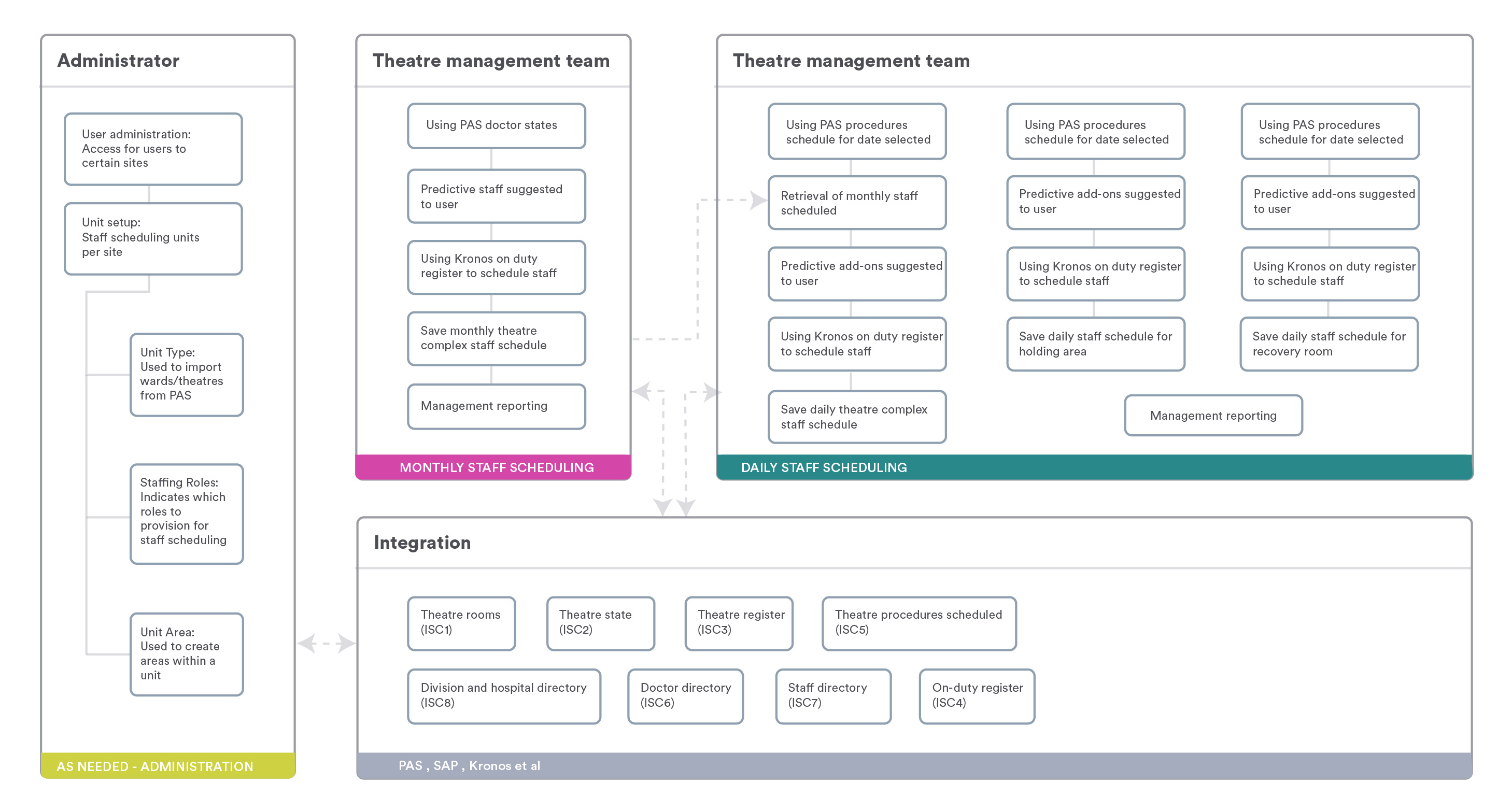
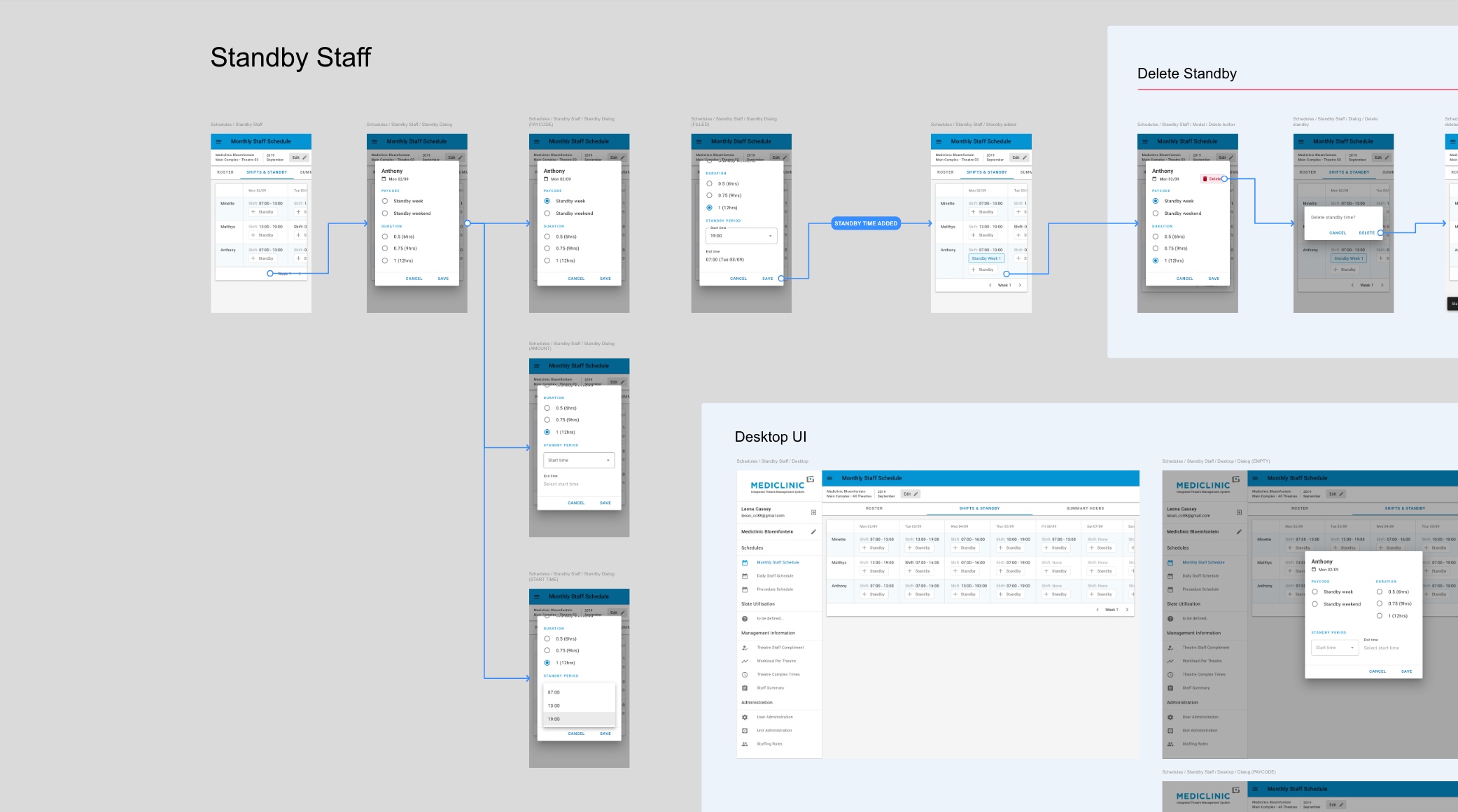
Comprehensive user flows and rapid prototyping were used to understand and define features that hospital staff would find useful
We used simple block-based wireframes that allowed us to quickly define the interaction design and user-flow through the system. In only a few hours we could produce 4 to 5 different wireframe options for a particular page or required interaction. These models were then put in front of the hospital management staff and tested with our UX researchers, ensuring that the product design team had fully grasped the requirements for the new software.
Interface design
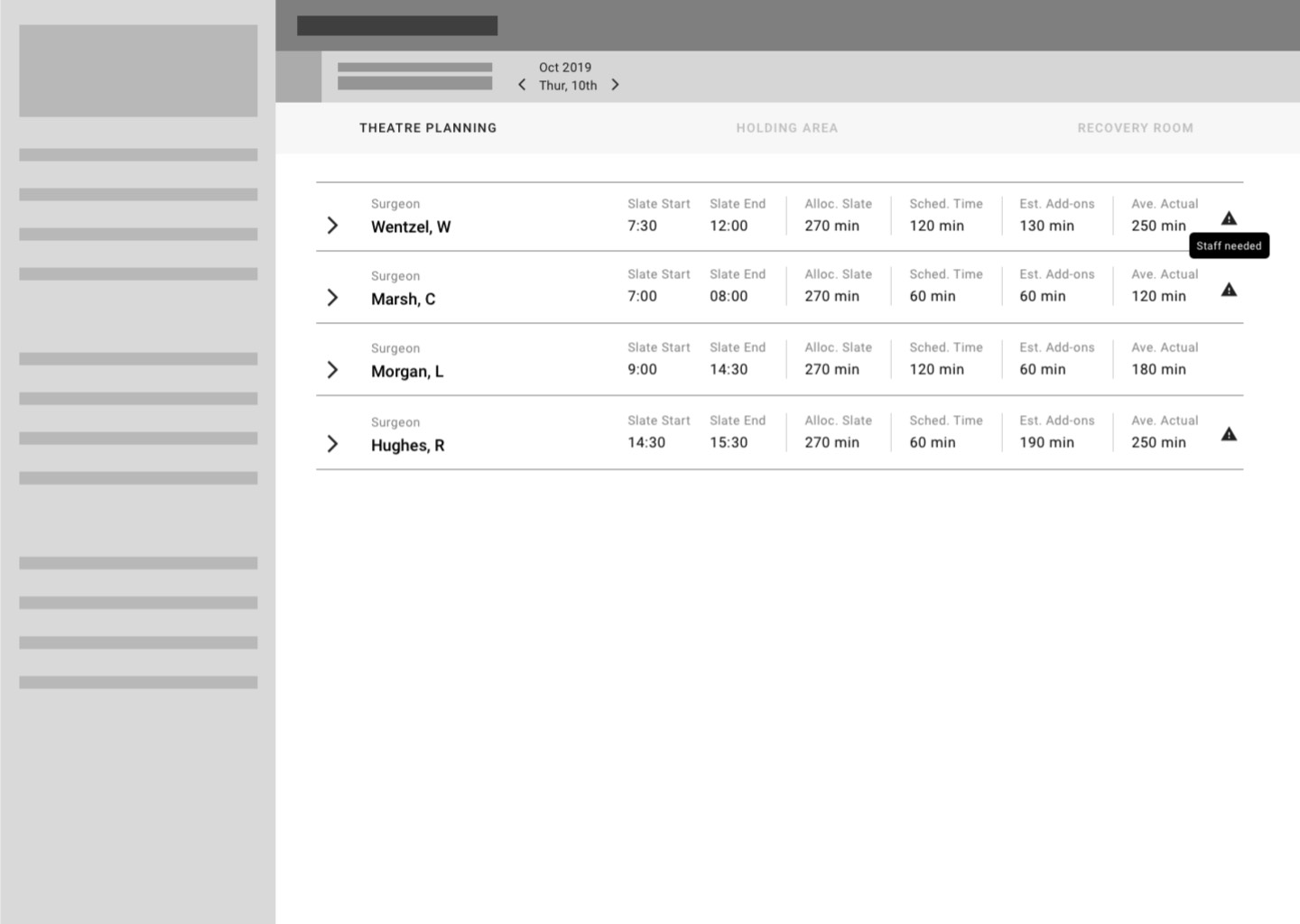
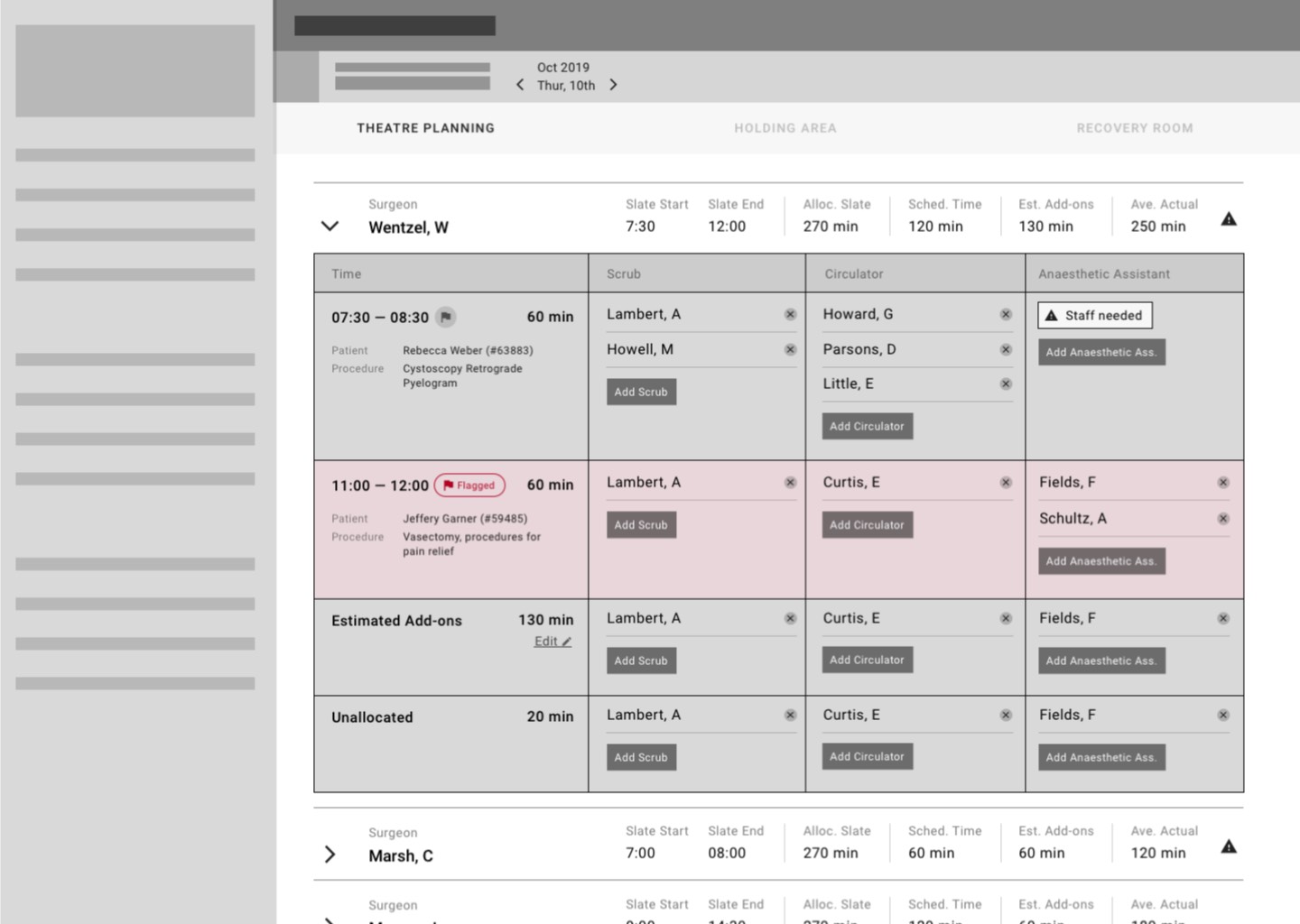
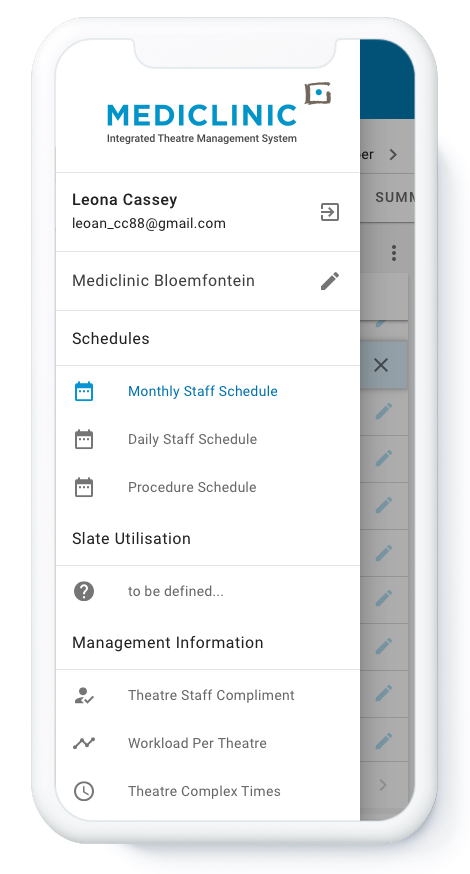
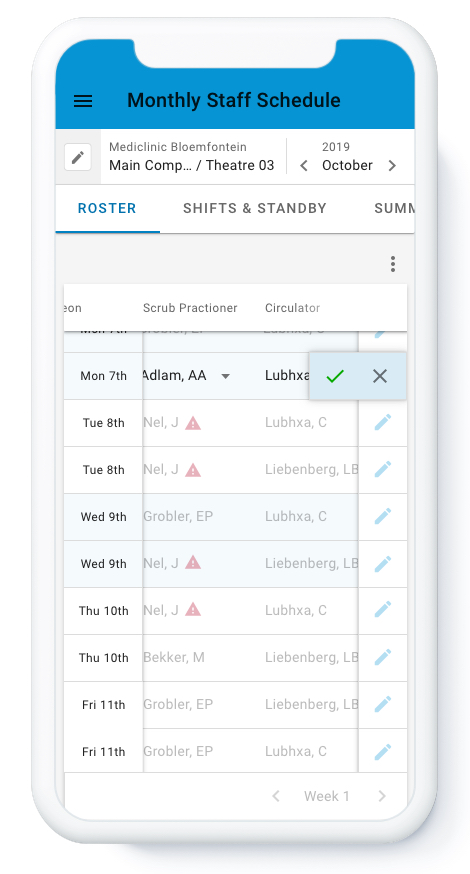
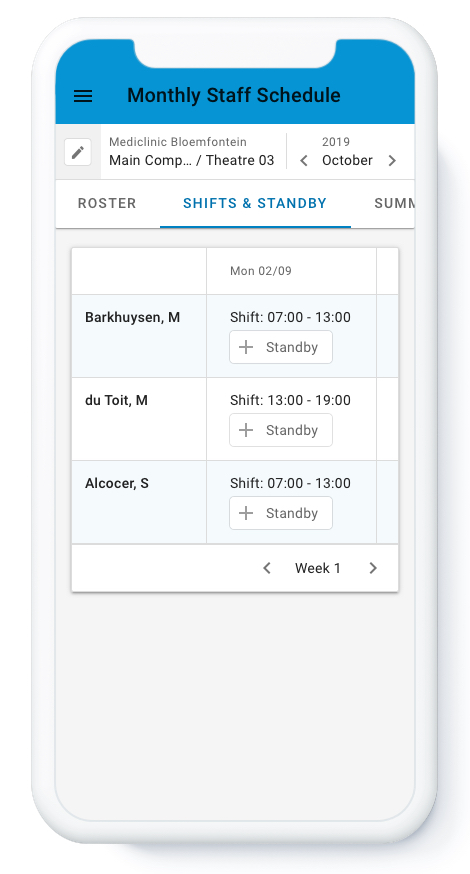
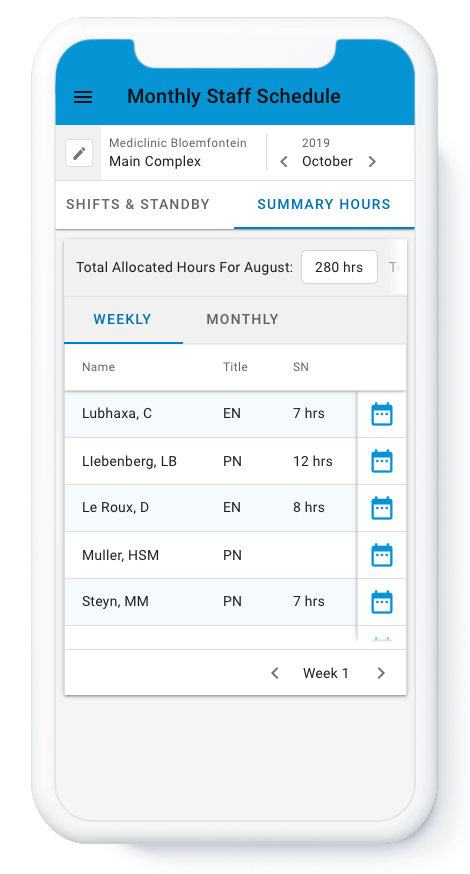
Using and extending Google’s Material Design for rapid app design
We adopted Google’s Material Design principles because of how tried and tested their system of components and interactions are. Although most components were custom designed, we were able to move twice as fast through the design phase due to the foundation of Material Design. We worked with the development team to customize views in areas where the framework was lacking the required patterns.
Design system
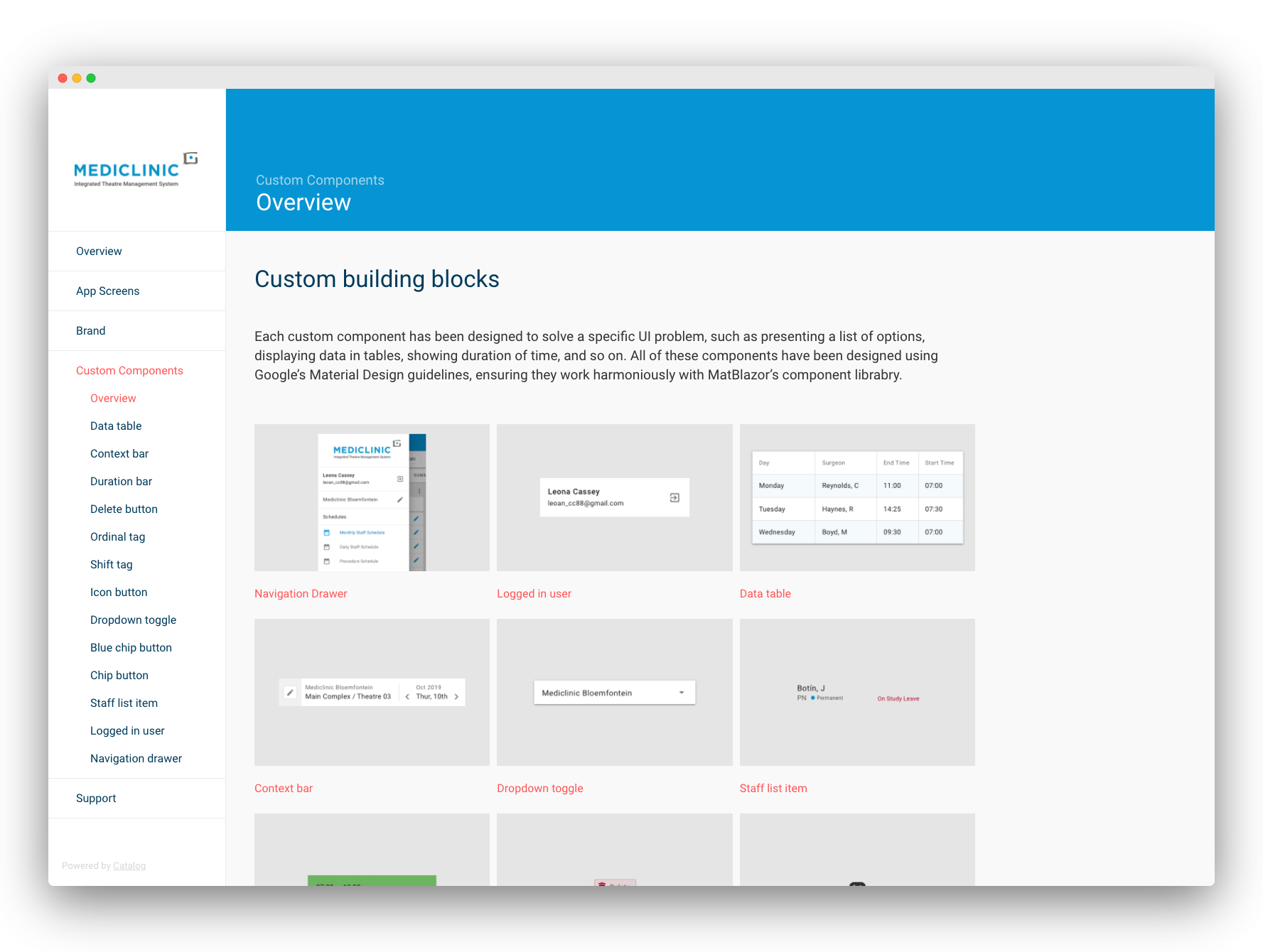
Compiling interface components, colour palettes, and usage guidelines into a digital design system
For Mediclinic to scale this theatre management app, they would need a digital design system. We created a resource that developers could access via the internet. With this, they could view component design specs and in turn, stay true to the interface we created.